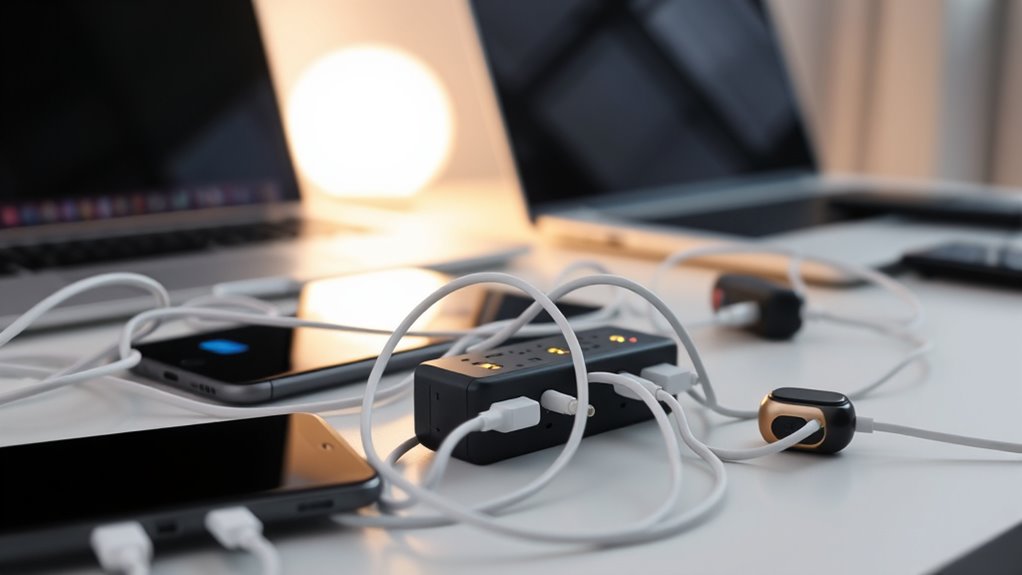

When charging multiple devices, avoid daisy-chaining power sources or connecting multiple chargers end-to-end, as this can cause overloads, short circuits, or fires. Always use designated charging stations with surge protection, and distribute electrical loads evenly across outlets. Keep cables in good condition and don’t overload power banks or strips. Proper ventilation and regular safety checks are essential. If you want to guarantee safe, efficient charging, continue exploring the best practices for setting up your devices securely.
Key Takeaways
- Avoid daisy-chaining power strips or chargers to prevent overloads and electrical fires.
- Use high-quality, certified multi-port chargers designed for multiple devices safely.
- Distribute power evenly across outlets to prevent overheating and damage.
- Regularly inspect cables and connectors for wear or damage before connecting devices.
- Unplug devices once fully charged to reduce stress on the power source and enhance safety.

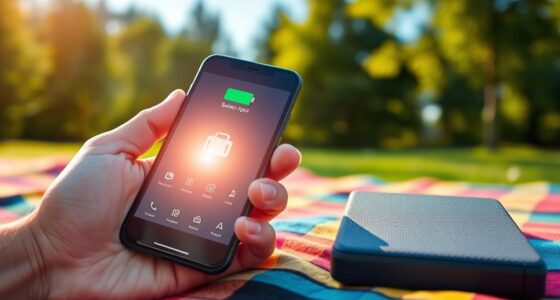
In today’s tech-driven world, charging multiple devices simultaneously has become a common necessity. Whether you’re juggling smartphones, tablets, or wearable gadgets, setting up an efficient and safe charging station is vital. Properly managing your charging station setup not only keeps your devices powered but also protects your equipment from damage. One key aspect to think about is power bank safety. If you’re using portable power banks to extend your device’s battery life, it’s essential to understand how to incorporate them safely into your setup. Overloading power banks or daisy-chaining them improperly can cause overheating, short circuits, or even fires. Always check the manufacturer’s guidelines to make sure your power banks are rated for the intended use, and avoid stacking multiple units without proper ventilation or safety measures.
Ensure power bank safety by following manufacturer guidelines and avoiding improper daisy-chaining to prevent overheating and fires.
When designing your charging station setup, focus on organization. Use designated charging hubs or multi-port chargers designed for multiple devices. These are built with safeguards like surge protection and current regulation, which help prevent electrical issues. Avoid the temptation to simply connect chargers end-to-end or daisy-chain power strips, as this can lead to overcurrent conditions. Instead, distribute the load evenly across outlets and chargers. If you must connect multiple devices, make certain your power source can handle the total power draw. Overloading outlets or power strips not only risks damaging your devices but also increases the chance of electrical fires. Additionally, understanding power distribution principles can help you design a safer and more efficient charging setup.
Another important step is to monitor your setup regularly. Check for signs of wear or overheating, especially if you’ve incorporated power banks or extension cords. Keep your charging station in a well-ventilated area to prevent heat buildup, which can compromise both device safety and power bank longevity. Make it a habit to unplug devices once they reach full charge to conserve energy and reduce stress on the power banks and chargers. Additionally, avoid using frayed or damaged cables, as they pose safety risks.
Lastly, always prioritize safety over convenience. While it might seem easier to connect multiple devices in a chain, resist the urge to do so without proper equipment. Use high-quality, certified chargers and cables, and follow best practices for power bank safety. Proper setup, regular checks, and cautious use help ensure that your multi-device charging station remains a reliable, safe, and efficient part of your daily routine. Remember, taking a little extra time to set up correctly can save you from costly repairs or dangerous accidents down the line.
Frequently Asked Questions
Can Daisy-Chaining Damage My Device’s Battery Life?
Daisy-chaining can damage your device’s battery life by increasing battery degradation over time. When you connect multiple devices, charging efficiency drops, causing your devices to work harder and wear out faster. This extra strain accelerates battery wear, reducing overall lifespan. To protect your devices, avoid daisy-chaining and use a single, high-quality charger for each device, ensuring ideal charging and longer battery health.
What Are the Safest Cables to Use for Multiple Devices?
You should use high-quality cables with certified connectors to guarantee safety when charging multiple devices. Look for cables with good cable quality that meet safety standards, such as UL or CE certification. Avoid cheap or damaged cables, as they can pose risks like overheating or connector failure. Opt for reputable brands that prioritize connector safety, which helps prevent damage to your devices and ensures reliable, safe charging across all your gadgets.
Is It Better to Use a Power Strip or Multiple Adapters?
Using a power strip is generally safer than multiple adapters because it offers better power strip safety and reduces the risk of overload. Power strips distribute power evenly and often include safety features like surge protection. Multiple adapters can cause daisy-chaining hazards, increasing fire risk and damaging devices. For maximum safety, choose a high-quality power strip with adequate outlets, and avoid plugging multiple adapters into one outlet to prevent overloading.
How Do I Identify if My Outlet Can Handle Multiple Devices?
You can check if your outlet handles multiple devices by examining its capacity, usually marked on the outlet or breaker box. Did you know that most household circuits are rated for 15 to 20 amps? To guarantee circuit safety, avoid overloading outlets beyond their capacity. If you’re unsure, consult a professional. Always prioritize safety and don’t daisy-chain multiple power strips or adapters, as it may overload your outlet.
Are There Specific Brands Recommended for Safe Daisy-Chaining?
Some brands are better suited for safe daisy-chaining, especially those with proven brand compatibility and quality control. Look for reputable brands like Anker, Belkin, or Aukey, which prioritize safety and offer warranties that cover issues from improper daisy-chaining. Always check the product specifications and warranty implications before connecting multiple devices, as using unreliable brands can increase the risk of overloads, damage, or voiding your warranty.
Conclusion
Remember, daisy-chaining your devices is like juggling lit candles—it’s tempting, but risky. To keep your gadgets safe and powered, follow the do’s and don’ts, avoid overloading outlets, and use quality chargers. Think of your power setup as a delicate dance—each device needs its turn without stepping on others’ toes. Stay cautious and mindful, and you’ll keep your tech glowing brightly without risking a fiery misstep.