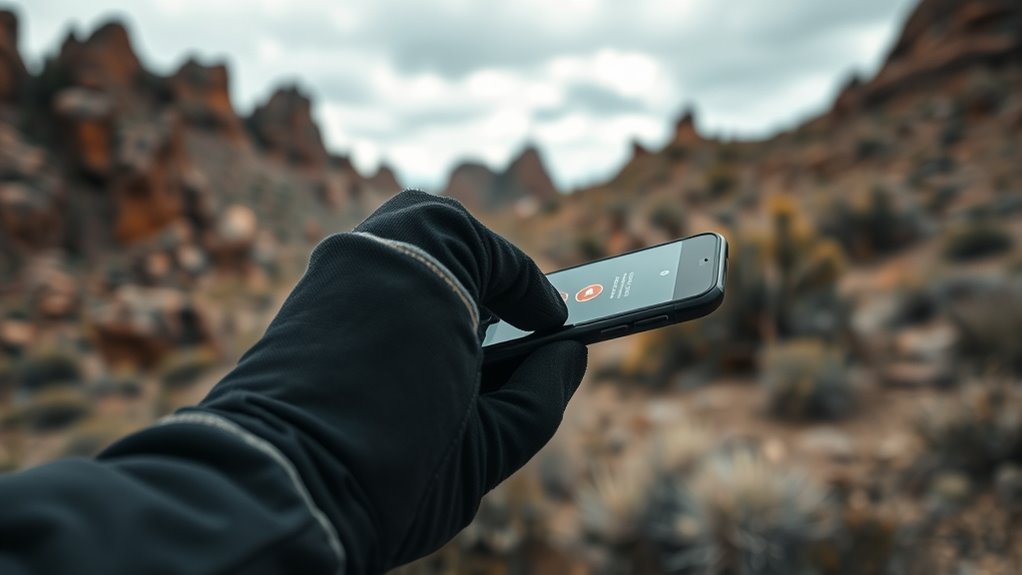

To send an SOS with your smartphone, you can use built-in emergency features like pressing the side button and volume button simultaneously on an iPhone or activating safety settings on Android devices. You can also download dedicated safety apps like Life360 or bSafe, which offer GPS tracking and quick emergency alerts. Make sure you’ve set up your contacts and tested these options beforehand. If you want to discover more ways to stay safe, keep exploring these tips.

Get emergency and outdoor gear delivered free — and shop member deals
- Fast, free delivery on millions of items
- Access to Prime Big Deal Days deals on October 6–7
- Prime Video, Amazon Music and more included
Key Takeaways
- Use built-in Emergency SOS features like pressing side and volume buttons on iPhones or via Settings on Android.
- Share your real-time location with trusted contacts or emergency responders using location-sharing apps.
- Install dedicated safety apps such as Life360, Red Panic Button, or bSafe for quick help access and GPS tracking.
- Pre-configure emergency contacts and activate SOS functions before emergencies for rapid response.
- Ensure your device display is calibrated for clear visual cues and instructions during crises.

In emergencies, your smartphone can be a lifesaver—if you know how to send an SOS quickly. Being prepared means understanding how to leverage your device’s mobile safety features to contact help when it matters most. Emergency preparedness isn’t just about having a first aid kit; it’s also about knowing how your phone can serve as a direct line to emergency services or trusted contacts in critical moments. Most smartphones today come equipped with built-in safety features designed specifically for these situations, making it easier for you to reach help even if you’re in unfamiliar territory or unable to dial manually.
Many phones have emergency SOS functions that can be activated with just a few taps or button presses. For example, on iPhones, holding down the side button along with one of the volume buttons will automatically initiate an emergency call and alert your designated emergency contacts. Android devices often have similar features, accessible through their Settings menu or via a dedicated safety app. These functions often send your location to responders, which is vital if you’re unable to communicate verbally. By setting up these features beforehand, you guarantee that, during a crisis, you can activate help with minimal effort and no need to navigate complex menus under stress.
Additionally, mobile safety features extend beyond just calling emergency services. Many smartphones offer real-time location sharing, which allows you to send your exact coordinates to trusted contacts or emergency responders. This can be a game-changer if you’re injured, lost, or in a situation where verbal communication is impossible. Some apps also include features like automatic incident detection, which can alert emergency contacts if you experience a sudden fall or crash. Being familiar with these options and enabling them as part of your emergency preparedness plan guarantees you’re ready to act swiftly.
It’s also wise to download dedicated safety apps that can enhance your ability to send an SOS. Apps like “Life360,” “Red Panic Button,” or “bSafe” are designed to connect you with emergency contacts, provide GPS tracking, and sometimes even record audio or video during a crisis. These tools can be lifesaving, especially if you find yourself in remote locations or situations where traditional emergency calls might not suffice. The key is to explore and configure these mobile safety features well before an emergency occurs. That way, when the unexpected happens, you won’t waste precious seconds fumbling with your device.
Furthermore, understanding the importance of color accuracy in your device’s display can help ensure you interpret any visual cues or information correctly during emergencies when visual clarity is crucial.
As an affiliate, we earn on qualifying purchases.
Frequently Asked Questions
Can I Send an SOS Without an Internet Connection?
Yes, you can send an SOS without an internet connection using offline emergency features on your smartphone. Many devices have built-in functions like emergency calls or SOS buttons that work without data. To guarantee success, enable these offline features and practice using them. Also, conserve your battery by adjusting screen brightness and turning off unnecessary apps, so your phone stays ready for emergencies when you need it most.
Are These Emergency Apps Available on All Smartphone Models?
Think of your smartphone as a lifeline woven with threads of technology. Device compatibility and app availability vary; some emergency apps are available on all models, acting like a universal key to safety, while others might be limited by your device’s operating system. Before you need it, check your phone’s compatibility and download essential apps, ensuring your safety net is always within reach, ready to catch you in times of need.
How Accurate Is the GPS Location Shared During an SOS?
The GPS accuracy during an SOS depends on your device and network conditions, but it generally provides precise location sharing within a few meters. Modern smartphones use multiple satellite systems to enhance GPS accuracy, ensuring help receives your real-time position quickly. Keep in mind that factors like tall buildings or dense forests can affect GPS precision, so always check your device’s settings to optimize location sharing during emergencies.
Will My Personal Information Be Protected When Using These Apps?
Think of your personal info as a delicate butterfly—you want to keep it safe. When you use these apps, your data privacy depends on careful control of app permissions. Always review what information you’re sharing and verify the app follows strict privacy policies. By being cautious, you can help protect your personal details during emergencies, making sure your safety doesn’t come at the cost of your privacy.
Can I Customize the Emergency Contacts in These Apps?
Yes, you can customize emergency contacts in these apps. Most apps allow you to add, remove, or update your custom contact list easily, giving you control over who gets notified during an emergency. This app personalization guarantees your trusted contacts are alerted first. Just go into the settings, find the emergency or SOS section, and follow the prompts to set or change your custom contact list quickly and securely.
GPS tracking safety app for Android and iPhone
As an affiliate, we earn on qualifying purchases.
As an affiliate, we earn on qualifying purchases.
Conclusion
Think of your smartphone as a trusty lighthouse, guiding you safely through the storm. When danger strikes, these apps become your beacon, shining a clear path to help. Just like a lighthouse warns ships away from rocks, your device alerts rescuers to your location. So, keep your phone charged and apps ready—because in a sea of uncertainty, your smartphone is the steady light that leads you home. Stay safe and stay connected.
As an affiliate, we earn on qualifying purchases.
As an affiliate, we earn on qualifying purchases.
Halloween Picks
halloween
As an affiliate, we earn on qualifying purchases.