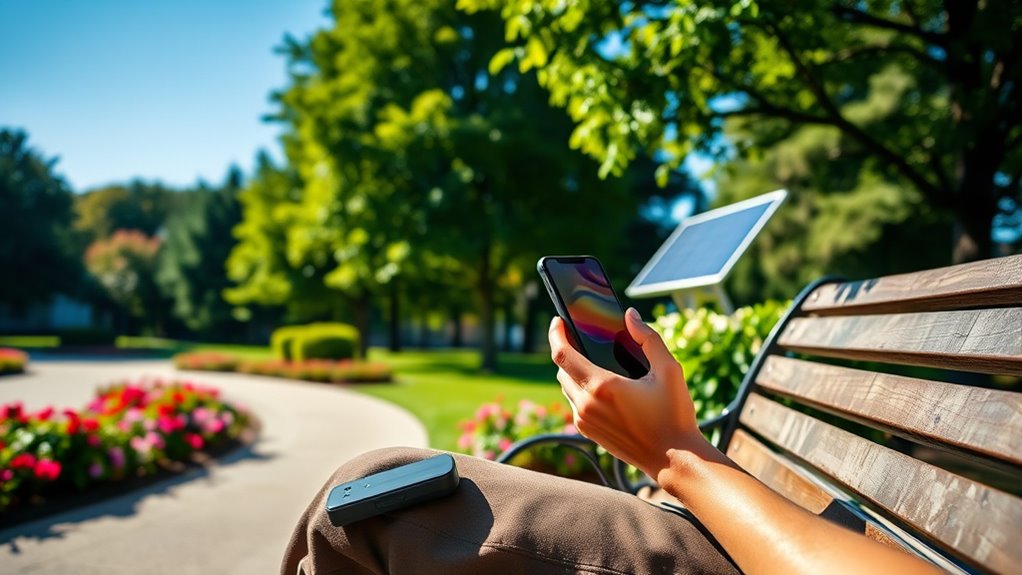

To extend your gadget’s battery life outdoors, start by lowering screen brightness, enabling power-saving mode, and turning off Wi-Fi, Bluetooth, or mobile data when not needed. Close unused apps and background processes, and use offline maps to reduce online activity. Keep your device cool and avoid overheating, and consider carrying a portable charger for backup. Disable vibrations and haptic feedback for extra saving—if you want more tips to maximize your battery, keep exploring.
Key Takeaways
- Enable power-saving mode and limit background app activity to conserve battery during outdoor use.
- Adjust display brightness and timeout settings to reduce screen power consumption outdoors.
- Turn off unnecessary connectivity like Wi-Fi, Bluetooth, and mobile data when not in use.
- Use offline maps and cache content to avoid energy-draining online downloads and streaming.
- Keep your device cool and avoid direct sunlight to prevent overheating and battery drain outdoors.

Portable Charger Power Bank – Slim 15000mAh 50% Larger Capacity Battery Pack, USB C 22.5W Fast Charging Powerbank with Built-in Cable, Travel Essential Phone Charger for iPhone Samsung Google Android
Portable Charger with 2 Built-in Cables >>>: PB-08 battery pack has 1* iOS cable, 1* Type-C cable, 3*…
As an affiliate, we earn on qualifying purchases.
As an affiliate, we earn on qualifying purchases.
Adjust Screen Brightness and Timeout Settings

To conserve battery life, start by lowering your screen brightness and reducing the screen timeout duration. Dimming your display lessens power consumption, making your device last longer outdoors. Adjust your auto lock settings so your screen turns off sooner when not in use—this prevents unnecessary battery drain. Proper screen calibration ensures brightness levels are ideal without being excessive, which can also save energy. Check your device’s display settings to fine-tune brightness and auto lock times, keeping the screen from staying on longer than needed. Additionally, understanding the contrast ratio of your device can help you optimize display settings for both visual quality and power efficiency. Exploring display technology concepts in display design can provide insights into more sustainable and efficient screen options. Remember, a well-calibrated screen paired with shorter timeout periods minimizes power use while maintaining usability. Display calibration is a crucial step for achieving optimal visual comfort and energy savings. Adjusting power management features in your device settings can further enhance battery longevity during outdoor use. These simple tweaks can considerably extend your gadget’s battery life, especially when you’re away from charging options.
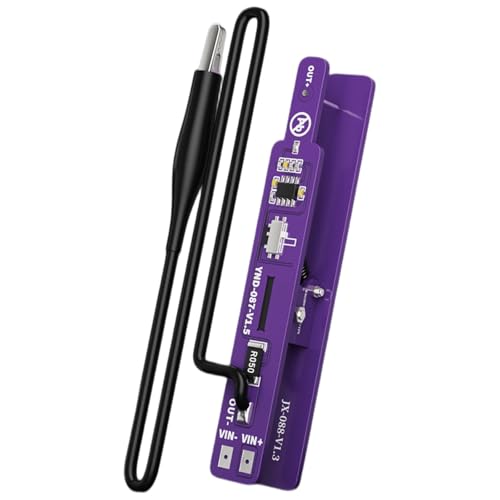
JINPIAOPIAO Standard Power On Clip for Almost Phones Smartphones with Double Mode Switches and LED Indicators Not Battery Required
Description: The M191 power on clip works with almost phones (not encrypted series), as well as various not…
As an affiliate, we earn on qualifying purchases.
As an affiliate, we earn on qualifying purchases.
Enable Power-Saving Mode

Enabling power-saving mode can make a noticeable difference in your battery life. It automatically optimizes screen brightness and limits background apps to conserve energy. Turning it on is a quick way to extend your device’s usage when you need it most. Additionally, effective sleep strategies can help reduce device usage and further conserve power. Incorporating smart device management techniques can further optimize energy consumption during outdoor activities, especially when integrated with connected fitness technology that can monitor and adjust settings automatically. Understanding nanotechnology innovations can also lead to more efficient battery components, improving overall device longevity in the field. Exploring cutting-edge materials used in batteries can provide insights into future advancements that increase durability and energy density during extended adventures.
Optimize Screen Brightness
Adjusting your screen brightness is one of the simplest ways to conserve battery life. When you lower brightness, your device uses less power, especially outdoors where sunlight can cause glare. Consider calibrating your screen for ideal display, ensuring colors are accurate and your viewing experience remains comfortable. Reducing the display refresh rate also helps save energy by limiting unnecessary updates per second. Use auto-brightness settings to adapt to ambient light, preventing excess brightness. To visualize:
| Setting | Impact | Tip |
|---|---|---|
| Screen Calibration | Improves display efficiency | Adjust for clarity and accuracy |
| Brightness Level | Saves power when lowered | Keep it at a comfortable level |
| Display Refresh Rate | Reduces power consumption | Use standard or adaptive rate |
| Piercing Care | Prevents irritation and infection | Keep your device clean and protected |
Additionally, understanding your device’s power management features can help optimize battery usage further, especially when outdoors. These tweaks help extend your gadget’s battery life, especially in outdoor conditions.
Limit Background Apps
Turning your focus to background apps can substantially boost your gadget’s battery life. By managing app activity, you prevent unnecessary drain from apps running when you’re not actively using them. Enable power-saving mode to limit background processes automatically, which is a simple yet effective form of app management. Regular battery monitoring helps you identify which apps consume the most power, so you can close or restrict them. Many devices offer built-in settings to restrict background activity, allowing you to extend battery life without sacrificing essential functions. Keep in mind, disabling background apps reduces overall battery consumption, especially outdoors where charging options are limited. Understanding app behavior can help you make more informed decisions about which apps to restrict or close. Being aware of battery consumption patterns also allows you to optimize your device settings for maximum efficiency. Taking control of app management ensures your device conserves energy, keeping you connected longer during your adventures. Additionally, familiarizing yourself with power consumption patterns enables smarter decisions about when and how to use certain apps or features.

Garmin 010-02256-00 eTrex 22x, Rugged Handheld GPS Navigator, Black/Navy
Explore confidently with the reliable handheld GPS
As an affiliate, we earn on qualifying purchases.
As an affiliate, we earn on qualifying purchases.
Turn Off Unnecessary Connectivity Features

When you’re not using features like Wi-Fi, Bluetooth, or mobile data, turning them off can substantially conserve your device’s battery life. Wi-Fi toggling is a quick way to save power, especially when you’re outdoors and don’t need internet access. Simply disable Wi-Fi when it’s not in use to prevent your device from constantly searching for networks. Bluetooth management is equally important; turn off Bluetooth if you’re not pairing devices or using wireless accessories, as it can drain power even when idle. Mobile data consumes a lot of energy when active in the background, so disable it if you’re in an area with no coverage or don’t need internet temporarily. These simple steps help reduce power drain, extending your device’s battery life when you need it most. Monitoring power consumption can also help identify other apps or functions draining your battery unexpectedly. Additionally, managing background activity ensures that unnecessary processes do not drain your battery when the device is idle. Being aware of battery management techniques can further optimize your device’s longevity outdoors. Turning off unnecessary connectivity features also minimizes energy drain, helping your device last longer in critical situations. Furthermore, understanding filter maintenance guidelines for air purifiers can ensure optimal indoor air quality and device longevity.

havit HV-F2056 15.6"-17" Laptop Cooler Cooling Pad – Slim Portable USB Powered (3 Fans), Black/Blue
Ultra-Portable: Slim, portable, and light weight allowing you to protect your investment wherever you go
As an affiliate, we earn on qualifying purchases.
As an affiliate, we earn on qualifying purchases.
Close Unused Apps and Background Processes

You can save battery by closing apps you’re not using and stopping unnecessary background processes. Limiting app activity prevents them from draining power when you’re not actively engaged. Disabling background refresh for apps you don’t need keeps your device running longer. Additionally, managing your device’s Support Breakfast options can optimize energy consumption and extend battery life outdoors. Ensuring your device’s filtering and pump protection systems are well-maintained can further prevent unnecessary power drain caused by hardware issues. Being aware of cookie management options can also help in maintaining overall device efficiency and privacy. Regularly updating your device’s software can also improve power management features, ensuring your device uses energy as efficiently as possible.
Limit App Activity
Many apps continue running in the background even when you’re not actively using them, draining your device’s battery unnecessarily. Managing app activity helps conserve power by limiting background processes. To do this:
- Close unused apps regularly to prevent unnecessary background activity.
- Check app settings for permissions that allow background activity and disable them.
- Restrict background data for apps that don’t need constant updates.
- Use your device’s task manager to kill lingering background processes.
- Regularly review your device’s auditory processing settings to identify and manage apps that may affect audio performance and battery life. Additionally, enabling battery saver modes can further optimize power consumption during outdoor use, especially when utilizing Suprem fabric for apparel designed for outdoor activities. Awareness of ear wax odor or other environmental factors can also help in maintaining overall device health and longevity.
Disable Background Refresh
Disabling background refresh for apps prevents them from updating content when you’re not actively using them, which can substantially boost your device’s battery life. When background apps run, they consume power by refreshing content, syncing data, or checking for updates. By turning off app refresh, you reduce unnecessary background activity, saving battery life. To do this, go into your device settings and disable background app refresh for apps you don’t need updating constantly. This prevents apps from running processes when you’re not using them, making your device more efficient outdoors. Keep in mind that some apps may need background refresh for essential functions, so choose which to disable carefully. Managing background apps is a simple yet effective way to extend your gadget’s battery life when you’re off the grid.
Use Offline Maps and Content

Have you ever noticed how much battery drain occurs when your device constantly downloads map data or streams content? To save power, try using offline maps and content caching. This way, your device accesses stored data instead of repeatedly downloading it, reducing unnecessary energy drain.
Here are some quick tips:
- Save offline maps before heading outdoors to avoid real-time downloads.
- Cache articles, videos, and music for offline access during your trip.
- Use apps with offline map use features to navigate without internet.
- Limit streaming and online updates to conserve battery life.
Limit Notifications and Location Services

You can conserve battery by disabling unnecessary alerts and turning off location tracking when you don’t need it. Managing app permissions guarantees only essential apps access your location, reducing power drain. These simple steps help your device last longer throughout the day.
Disable Unnecessary Alerts
To conserve battery life, limiting notifications and location services is essential, especially since constant alerts can drain power quickly. By fine-tuning your notification management and alert customization, you reduce unnecessary power drain and stay focused. Here are four powerful steps to disable unnecessary alerts:
- Turn off non-essential app notifications to prevent constant pings.
- Customize alert sounds and vibrations to minimal or silent modes.
- Disable pop-up notifications that interrupt your activity.
- Limit location services to only when needed, reducing background activity.
These simple actions help your device conserve energy, allowing it to last longer outdoors. Remember, less clutter from alerts means less power consumption, keeping your gadget ready when you need it most. Take control now to extend your device’s battery life effectively.
Turn Off Location Tracking
Since background location tracking consumes significant battery power, turning it off when not needed is a smart way to extend your device’s battery life. This also helps address privacy concerns, as it limits the amount of data your device shares with apps and services. When location services are active, your device constantly updates your position, draining the battery faster. Disabling location tracking reduces unnecessary data collection, enhancing data security by preventing apps from accessing sensitive location information. You can manage this setting in your device’s privacy or location menu, turning it off for apps that don’t need it. Not only will this save battery life outdoors, but it also gives you greater control over your personal data, keeping your information more private and secure.
Manage App Permissions
Managing app permissions is a practical step to conserve your device’s battery life. By reviewing app permission updates and using permission management tools, you control what drains your battery. Limiting notifications prevents constant wake-ups, saving power. Disabling location services when not needed stops your device from searching for GPS signals nonstop. Here are four ways to optimize permission settings:
- Turn off location services for apps that don’t need them.
- Restrict background app permissions to prevent unnecessary activity.
- Disable notifications from non-essential apps.
- Regularly update your apps to ensure permission management tools work efficiently.
Taking these steps reduces passive battery drain, keeping your device alive longer outdoors. Proper permission management empowers you to extend your gadget’s battery life with minimal effort.
Keep Your Device Cool and Avoid Overheating

Overheating can considerably drain your device’s battery and shorten its lifespan. To prevent this, monitor your device temperature regularly, especially outdoors. When your device gets too hot, it forces the battery to work harder, reducing its efficiency. Good heat dissipation is essential; avoid direct sunlight and shady spots with poor airflow. Removing any case while using the device can help it cool down faster. Close unnecessary apps that generate extra heat, and disable features like Bluetooth or Wi-Fi if you’re not using them. Keep your device in a cool, shaded area whenever possible. By managing heat effectively, you ensure your gadget runs cooler and maintains battery health longer, especially during extended outdoor use. Proper heat control is a simple yet powerful way to extend your device’s battery life.
Carry a Portable Charger or Power Bank

Carrying a portable charger or power bank guarantees you can recharge your device on the go, preventing sudden battery depletion during long outings or busy days. These portable chargers and power banks keep your gadgets alive when you need them most. Imagine capturing every moment, staying connected, or orienting without worries. Here are four reasons to always have one with you:
- Stay connected with loved ones no matter where you are
- Never miss an important call or message
- Keep GPS and maps running to avoid getting lost
- Capture photos and videos without interruption
With reliable power banks, you gain peace of mind, knowing your device won’t die unexpectedly. Compact and lightweight, portable chargers are essential for outdoor adventures, work trips, or emergencies—making sure you stay powered up anytime, anywhere.
Disable Vibrations and Haptic Feedback

While having a portable power source is great for staying connected, conserving your device’s battery life can also be achieved through simple settings adjustments. Disabling vibrations and haptic feedback is a quick way to save power. Vibration reduction minimizes the energy used when your phone alerts you via vibrations, while haptic feedback elimination stops those tactile responses during key presses or interactions. To do this, go into your device’s settings, find the sound or notifications menu, and turn off vibration options. This small change reduces battery drain, especially if you receive frequent notifications or use haptic feedback often. By cutting back on these energy-intensive features, you’ll extend your device’s battery life outdoors and keep it running longer when you need it most.
Turn Off Your Device When Not in Use

Turning off your device when you’re not using it is one of the simplest and most effective ways to conserve battery life. A quick device shutdown reduces unnecessary power drain, helping you extend your gadget’s battery outdoors. When you fully power down, you minimize background processes and screen activity, boosting power conservation.
Consider these actions:
- Save your battery for critical moments by turning off your device during downtime.
- Avoid draining your battery by shutting down instead of leaving apps running.
- Protect your device’s longevity by performing a complete power-off after heavy use.
- Maximize your outdoor experience by keeping your device shutdown when not needed, ensuring it’s ready when you really need it.
A smart device shutdown can make a significant difference in extending your battery life!
Frequently Asked Questions
How Can I Extend Battery Life During Long Outdoor Activities?
To extend your battery life during long outdoor activities, you should follow some power saving tips like dimming your screen, turning off unnecessary apps, and enabling airplane mode when not using data. Carry an outdoor charger or portable power bank to stay charged, and limit GPS use to conserve energy. These strategies help maximize your device’s battery life so you can stay connected longer in the outdoors.
Are There Specific Apps That Drain Battery Faster Outdoors?
Your device’s app power consumption can turn your battery into a sinking ship, especially outdoors. Apps like GPS navigation, streaming, and social media drain your battery faster than you’d believe, with GPS drain being the biggest culprit. These apps run in the background, constantly updating and tracking, so limit their use or turn them off when not needed. Managing app activity helps preserve your battery life during long outdoor adventures.
What Settings Should I Prioritize for Maximum Battery Efficiency?
You should prioritize lowering your screen brightness and turning on auto-brightness to save power. Disable unnecessary background apps, as they run in the background and drain your battery. Activate power-saving mode to optimize settings, and turn off Wi-Fi, Bluetooth, and GPS when not in use. These steps help extend your device’s battery life outdoors, ensuring you stay connected longer without needing a charge.
How Do Temperature Changes Affect My Device’s Battery Life?
Temperature changes cause thermal effects that impact your device’s battery life. When it gets too hot or cold, the battery’s chemical reactions slow down or accelerate, leading to faster battery degradation. Hot conditions can cause swelling and reduce overall capacity, while cold temperatures make your device drain faster and temporarily lower battery performance. To protect your battery, keep your device within ideal temperature ranges and avoid exposing it to extreme heat or cold.
Can I Safely Use External Batteries or Solar Chargers Outdoors?
Using external batteries or solar chargers outdoors is like planting hope in your gadget’s longevity. Portable power is safe when you follow proper solar safety guidelines—avoid exposing devices to direct rain or extreme heat. Make sure solar panels are stable and free from damage, and use certified batteries to prevent risks. When handled correctly, these options keep your devices charged and ready, no matter where your adventure takes you.
Conclusion
By applying these simple hacks, you’ll maximize your device’s battery life outdoors. For example, Sarah went on a weekend hike with her phone, turned on power-saving mode, and carried a portable charger. Her phone lasted all day, staying connected and capturing memories without worry. Small adjustments can make a big difference, so next time you’re off the grid, stay prepared and keep your device running longer with these easy tips.