
TL;DR

Get emergency and outdoor gear delivered free with Prime
- Fast, free delivery on millions of items
- Prime Video, Amazon Music and more included
- Member-only deals all year
Prebuilt AI workstations now often match or beat DIY on price and speed thanks to bulk buying and component shortages. Building offers customization and control but requires time, expertise, and ongoing maintenance. The right choice depends on your priorities and workflow.
Imagine this: you need a powerful AI workstation, fast. Do you spend months sourcing parts, tweaking BIOS settings, and troubleshooting, or do you click ‘Order’ and get a validated, ready-to-run system? The old answer was simple—build was cheaper, buy was faster. But in 2026, that’s no longer true. Price spikes, component shortages, and bulk buying have changed the game.
This article dives into the real tradeoffs. It’s not just about upfront cost—think speed, support, customization, and future-proofing. Whether you’re a hobbyist, a startup, or a research lab, understanding these factors helps you pick the right path for your AI projects. Learn more about AI hardware options.
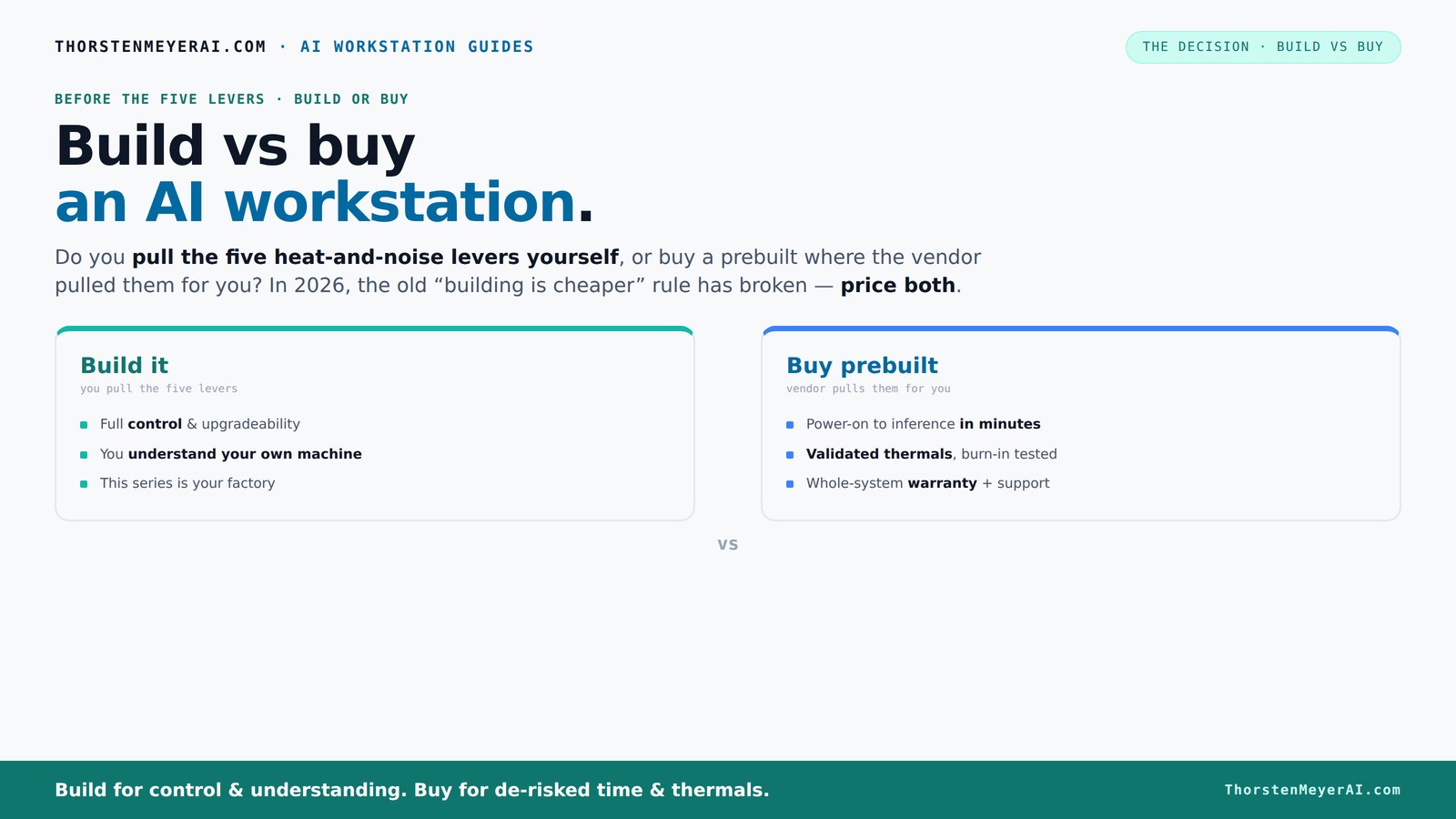
Build vs buy
an AI workstation.
The real question behind this whole series: do you pull the five heat-and-noise levers yourself, or buy a prebuilt where the vendor pulled them for you? And in 2026, the old “building is cheaper” rule has broken. Match your situation in Part 3.
Key Takeaways
- In 2026, bulk buying and component shortages mean prebuilt AI workstations often match or beat DIY costs at high-end specs.
- Building offers unmatched control over tuning, airflow, and upgrades, but requires time, expertise, and ongoing maintenance.
- Prebuilts reduce setup time and lower risks by providing validated thermals, warranties, and plug-and-play convenience.
- Always compare exact configurations and total 3-year costs before choosing—don’t assume building is cheaper anymore.
- Hybrid options are growing, combining the best of both worlds—buy the base system and customize key components.
As an affiliate, we earn on qualifying purchases.
Why Building a Custom AI Workstation Is Still a Power Move
Building your own rig means total control. You pick every component—GPU, CPU, RAM, cooling—to match your exact needs. Want a quiet machine for long training runs? Choose a high-quality cooler and case with low-noise fans. Need a specific software stack? You can tailor every driver and firmware. Explore guides on building custom AI workstations.
For example, a hobbyist working on a personal project might undervolt the GPU and set up custom airflow to keep noise low, something prebuilt options don’t always cater to. This level of customization allows you to optimize performance and noise levels precisely for your environment, which can be critical in shared or sensitive spaces. See how to build and maintain custom AI systems.
However, this control requires time, patience, and some technical know-how. It's not just about assembling parts—it's about tuning, testing, and maintaining. If you love that process or want a machine perfectly tuned to your workflow, building remains a compelling choice. The tradeoff is the initial investment of time and effort versus the tailored performance and satisfaction of a custom setup.
As an affiliate, we earn on qualifying purchases.
Why Prebuilt AI Workstations Save You Time and Headaches
If speed to productivity matters, prebuilt AI workstations are unbeatable. They arrive ready with the OS, drivers, and AI frameworks installed—no sourcing parts, no BIOS updates, no compatibility worries. Check out the latest AI workstation reviews.
Take a researcher who needs to start training a model next week. Ordering a prebuilt from a vendor like Lambda or BIZON means they get a machine tested for thermal performance and noise levels, with a warranty backing it up. This validation process ensures the system is optimized for sustained AI workloads, which often push hardware to its limits. Learn about prebuilt AI workstation options.
Moreover, these systems are validated under real-world conditions, meaning they are less likely to experience thermal throttling or hardware failures during critical training sessions. For professionals who need to prioritize their time on AI development rather than hardware tinkering, prebuilt systems provide a reliable, ready-to-go solution, reducing the risk of unexpected downtime and support issues.
As an affiliate, we earn on qualifying purchases.
Cost Comparison: Building vs Buying in 2026
| Factor | Building Your Own | Buying Prebuilt |
|---|---|---|
| Upfront Cost | Often higher, due to component shortages and price spikes. DIY parts can push a rig over $1,250+ for high-end setups, and the fluctuating component market can make exact cost predictions difficult. Additionally, unforeseen compatibility issues, shipping delays, or the need for troubleshooting can add hidden expenses. | Potentially lower, thanks to bulk buying and vendor negotiations. Some prebuilt systems can match or even beat DIY prices on high-end configurations, especially when considering the time saved and warranties included. However, initial costs can vary based on the vendor and configuration chosen. |
| Speed to Use | Weeks to assemble, troubleshoot, and tune. This process involves sourcing parts, waiting for delivery, assembling, and resolving any compatibility or performance issues, which can extend timelines significantly. This delay impacts project start dates, especially if hardware is needed urgently. | Days—power on and start training. Prebuilts arrive ready to operate, with all necessary software and drivers pre-installed, enabling you to begin AI development almost immediately. This rapid deployment can be critical for meeting tight project deadlines or seizing market opportunities. |
| Customization | Complete control over every component and tuning. You can select specific GPUs, optimize airflow, undervolt components for noise reduction, and tailor the system precisely to your workload. This level of control allows for performance maximization and environmental considerations, which can be important in specialized applications. | Limited to vendor options; some customization possible but less deep. Most prebuilt systems offer configurable options for RAM, storage, and sometimes GPU, but they do not match the granular control of a custom build. This can limit optimization for niche workloads but simplifies the selection process. |
| Support & Warranty | Self-managed; support depends on your skills. Troubleshooting hardware issues or performing upgrades is on you, which can be challenging without technical expertise. This can lead to longer downtimes if problems arise. | Vendor-backed; often 3-5 years of support and warranty. This reduces the risk of hardware failures causing downtime, and support teams can assist with troubleshooting, firmware updates, and repairs, providing peace of mind and reducing operational disruptions. |
| Long-term Costs | Variable—upgrades, troubleshooting, and repairs fall on you. Over time, maintaining and upgrading DIY systems can incur additional expenses, especially if hardware becomes obsolete or fails outside warranty coverage. The ongoing effort can also divert resources from core AI work. | Included support reduces unexpected expenses. With a warranty and support plan, many potential repair costs are covered, and system updates are managed by the vendor, simplifying maintenance and potentially lowering total cost of ownership over the system’s lifespan. |
In 2026, the old rule—building is always cheaper—no longer holds. Always price your e consider prebuilt options for AI workstations.xact configuration, both DIY and prebuilt, before deciding. This shift is driven by factors such as component shortages, increased wholesale buying power, and the rising complexity of high-performance hardware, which can make prebuilt systems more financially attractive than they once were. Recognizing these market dynamics helps prevent costly assumptions and ensures you choose the most cost-effective, reliable solution for your AI needs.
As an affiliate, we earn on qualifying purchases.
When Building Makes Sense — And When It Doesn’t
Building is perfect if you’re a techie with time, patience, and a desire for control. If you want a machine precisely tuned for your workload, building allows you to undervolt, optimize airflow, and select the quietest components. This level of customization can lead to better performance, lower noise levels, and longer system lifespan, especially if you’re willing to invest the effort into fine-tuning. The implications are significant: you can tailor the system to match specific AI models, power efficiency goals, or environmental constraints, which can translate into cost savings over time and improved reliability.
For example, a data scientist designing a custom inference pipeline might undervolt their GPU and set up specialized cooling. You can also upgrade parts as needed, extending the system’s life and adapting to evolving AI workloads. This flexibility can result in significant long-term savings and performance gains if managed properly, but it requires upfront planning and technical expertise to avoid bottlenecks or compatibility issues.
But building isn’t always the best move. If you're pressed for time or prefer to avoid troubleshooting, prebuilt is smarter. Especially with current shortages, a vendor can often offer a system at a comparable or better price, validated for thermal and noise performance. The tradeoff is that prebuilt systems are less customizable, but they often come with warranties, support, and guaranteed compatibility that reduce your risk and effort. This approach is particularly advantageous if your priority is rapid deployment and reliable operation without the need for ongoing tinkering.
Hidden Costs and Risks You Should Know About
Building your own system might seem cheaper but hidden costs can pop up. Troubleshooting compatibility issues, tuning BIOS, and sourcing rare components take time—and sometimes money. For example, chasing down a rare GPU or motherboard can delay your project by weeks, and fiddling with BIOS settings may require technical expertise. Moreover, hardware failures, if they occur outside of warranty, can lead to unexpected expenses and downtime. These hidden costs are not always apparent at the outset but can significantly impact your total investment, especially if your project timeline is tight or your team lacks technical support resources. The time and effort spent on resolving these issues can offset initial savings and add stress, leading to delays and potential quality compromises.
Prebuilt systems, on the other hand, carry a premium but significantly reduce these risks. You pay for hardware that has been tested, validated, and assembled by professionals, along with warranties that cover hardware failures. This setup minimizes the time spent troubleshooting and ensures that your system is reliable from day one. For teams or individuals who prioritize stability, predictability, and minimizing downtime, prebuilt options often prove more economical over the long term by reducing the hidden costs associated with DIY troubleshooting and repairs.
Future-Proofing: Can You Build or Buy for the Long Haul?
Building offers upgradeability—adding more RAM, swapping GPUs, or tuning cooling as AI workloads evolve. But only if you have the expertise to do it right. The ability to upgrade depends heavily on the initial design—selecting a chassis with enough expansion slots, a power supply with sufficient capacity, and compatible components. Without careful planning, future upgrades can be complicated or impossible, leading to the need for a new system sooner than expected. The long-term success of a DIY build hinges on foresight; neglecting future expansion options can render your investment obsolete or force costly rebuilds.
Prebuilts are often less flexible but come with firmware updates, support, and sometimes modular designs that simplify upgrades. For instance, a vendor might offer a chassis designed for easy GPU swaps, extending the system’s lifespan. This approach reduces the risk of obsolescence and can be more cost-effective if your AI needs grow or change unexpectedly. Many vendors now offer modular or upgradable systems, recognizing that AI workloads and hardware evolve rapidly. This trend toward hybrid models—starting with a base system and upgrading key components—reflects a strategic shift toward balancing control with convenience, ensuring your hardware investment remains viable over multiple AI cycles.
In 2026, these hybrid models are becoming more common, allowing users to buy a solid foundation and customize or upgrade as their needs develop. This approach offers a practical compromise, enabling long-term scalability without the complexity of a full custom build from scratch.
Frequently Asked Questions
Is it cheaper to build or buy a prebuilt AI workstation?
In 2026, bulk buying and component shortages have closed the gap. Sometimes prebuilt systems match or beat DIY prices, especially for high-end setups. Always price your exact specs before deciding.How much faster is a prebuilt system to deploy?
Prebuilts are ready to go—just plug in and start training. DIY setups can take weeks to assemble, troubleshoot, and optimize.When does building make more sense than buying?
If you enjoy customizing, have time, and need a machine tailored for specific workflows, building offers control. Otherwise, buying is best for quick deployment and support.What hidden costs should I expect with a custom build?
Troubleshooting compatibility issues, tuning, and ongoing maintenance can add up. Plus, hardware failures are on you unless you buy support plans.Can I start with a prebuilt and upgrade later?
Yes, many vendors design for easy upgrades, especially for GPUs and RAM. But check if the chassis and power supply support future expansion.Conclusion
Choosing between build and buy isn’t just a matter of cost anymore. It’s about how much control you want versus how fast you need to get started. In 2026, smart buyers compare total costs over years, not just initial prices.
Remember, the best system is the one that fits your workflow today and scales with you tomorrow. Whether you build or buy, focus on what saves you time, reduces headaches, and keeps your AI projects moving forward.
Halloween Picks
halloween
As an affiliate, we earn on qualifying purchases.