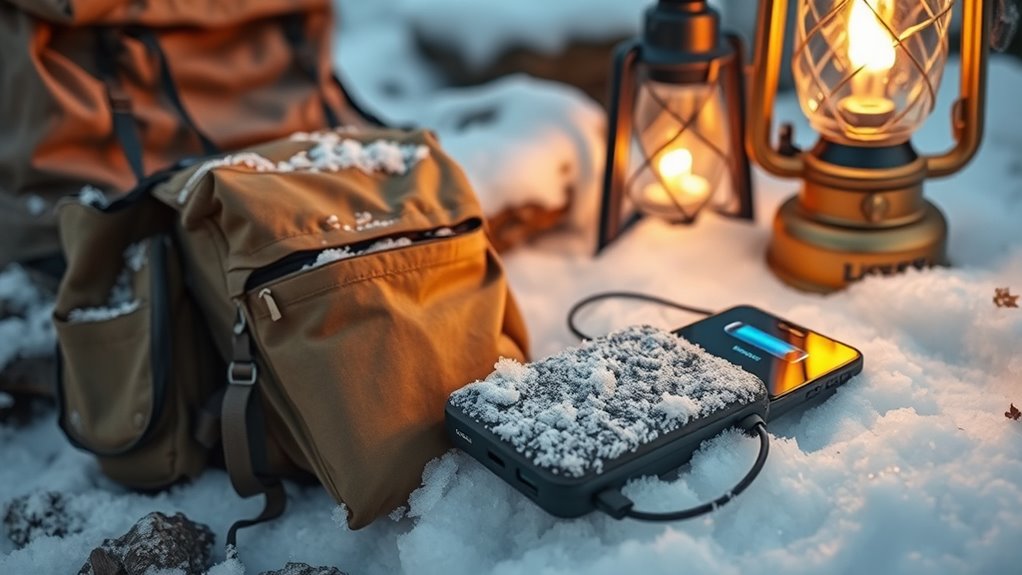

In freezing camps, cold temps can drain your device batteries fast and cause damage. To keep your tech alive, fully charge devices before heading out, turn off unused features, and store them close to your body for warmth. Use insulating materials or pocket warmers, and limit screen time. Regularly check battery signs, avoid full discharges, and store batteries in warm places. Continue exploring tips to protect your batteries and extend device life in harsh conditions.

Get emergency and outdoor gear delivered free with Prime
- Fast, free delivery on millions of items
- Prime Video, Amazon Music and more included
- Member-only deals all year
Key Takeaways
- Insulate batteries with foam, neoprene, or emergency blankets to retain heat and prevent cold-related damage.
- Keep devices close to your body or in warm pockets to maintain internal temperature during use.
- Fully charge devices beforehand and use cold-rated power banks to ensure steady power in freezing conditions.
- Minimize screen brightness, disable unused features, and activate power-saving modes to extend battery life.
- Store batteries in warm, dry places when not in use and avoid exposing them to extreme temperature fluctuations.
cold weather power banks for smartphones
As an affiliate, we earn on qualifying purchases.
As an affiliate, we earn on qualifying purchases.
Understanding How Cold Affects Battery Performance

Cold weather can considerably reduce a battery’s ability to deliver power because lower temperatures slow down the chemical reactions inside it. When it’s cold, these reactions become less efficient, which means your battery can’t produce energy as quickly. This slowdown increases the internal resistance within the battery, making it harder for the electrical current to flow freely. As a result, your device may experience shorter battery life or even fail to start. You might notice a sudden drop in performance or that your device drains faster than usual. Understanding this process helps you appreciate why cold impacts battery performance so heavily. Keeping your devices warm and avoiding extreme cold exposure can help maintain ideal chemical reactions and keep internal resistance in check. Familiarity with modern battery technology can also provide insights into choosing more resilient devices for cold environments. Additionally, using battery insulation techniques can help protect batteries from the cold and preserve their efficiency, especially as advances in nanotechnology continue to enable more durable and temperature-resistant battery materials. Recognizing the importance of proper storage can further prevent performance issues caused by cold temperatures. Being aware of battery management practices can also extend your device’s usability in freezing conditions.
insulating battery sleeves for outdoor use
As an affiliate, we earn on qualifying purchases.
As an affiliate, we earn on qualifying purchases.
Prepping Your Devices Before Heading Outdoors

To minimize the impact of low temperatures on your devices, it’s essential to prepare them before heading outdoors. Start by fully charging your device to ensure maximum capacity, as cold reduces battery chemistry efficiency. Avoid exposing your device to rapid temperature changes, which can strain its durability. Consider turning off unnecessary features like Bluetooth or Wi-Fi to conserve power. Keep your device close to your body to benefit from warmth. Here’s a quick guide:
| Step | Action | Benefit |
|---|---|---|
| Fully charge your device | Ensure battery is at 100% before cold | Maximizes initial capacity |
| Turn off unused features | Disable Bluetooth, Wi-Fi, GPS | Saves power and reduces strain |
| Keep device close to body | Maintain warmth with body heat | Protects battery chemistry |
| Use a durable case | Shield device from impacts and cold | Enhances device durability |
| Avoid rapid temp shifts | Gradually acclimate device to outdoor temps | Prevents damage |
Additionally, avoiding prolonged exposure to cold environments can help prevent battery degradation, which is especially important in extreme conditions, and maintaining proper device care can extend its operational lifespan during your outdoor adventures. Being aware of battery chemistry and how it reacts to temperature fluctuations can further help you take proactive measures to preserve your device’s performance.
thermal phone cases for extreme cold
As an affiliate, we earn on qualifying purchases.
As an affiliate, we earn on qualifying purchases.
Using Insulation to Protect Your Batteries

Insulating your batteries can considerably reduce the impact of low temperatures on their performance. Use thermal insulation materials like foam, neoprene, or even DIY options such as emergency blankets to wrap your batteries. This creates a barrier against the cold, keeping the internal temperature higher and energy efficiency improved. Proper insulation also helps prevent battery capacity loss, ensuring your devices remain operational for longer periods. Battery warming devices, like pocket warmers or heated battery cases, can supplement insulation efforts for added protection. Confirm the insulation is snug but not too tight, allowing some airflow to prevent moisture buildup. Proper insulation minimizes heat loss, maintaining ideal battery function and prolonging usage in freezing conditions. Additionally, consider thermal regulation techniques to optimize your setup and prevent energy loss. Employing proper insulation methods can also help mitigate the effects of temperature fluctuations, which are common in outdoor or unheated environments. With effective thermal insulation, your batteries will perform better and last longer in cold environments.
As an affiliate, we earn on qualifying purchases.
Managing Power Consumption Efficiently

To extend your battery life in cold conditions, you should first minimize screen usage whenever possible. Enabling power saving mode can also notably reduce energy drain. Additionally, keeping your devices warm helps maintain ideal battery performance and conserves power. Using portable battery heaters can further help in maintaining optimal battery temperature during extended outdoor exposure. Regularly checking your device’s seasonal maintenance can prevent unexpected power issues and prolong battery health. Ensuring proper battery care practices tailored for winter conditions is essential for reliable performance. Consulting Gold IRA Markets for appropriate environmental conditions can also contribute to better device longevity in outdoor environments.
Minimize Screen Usage
Since screens drain your battery quickly, reducing their use is essential in cold conditions where battery performance already suffers. Lower your screen brightness to cut power consumption and prevent unnecessary drain. Avoid keeping apps open in the background, as they continue to use energy even when not actively in use. Close apps you don’t need and limit multitasking to extend your battery life. Every time you reduce screen activity, you help conserve precious power in freezing environments. Resist the temptation to check notifications constantly, as each glance lights up your screen and drains your battery further. By managing your screen brightness and background app activity, you maximize your device’s battery life, ensuring it stays operational longer in challenging cold conditions. Device optimization techniques can further enhance battery longevity in extreme environments. Additionally, understanding how battery technology adapts to cold temperatures can help you implement more effective preservation strategies, such as cold weather battery performance improvements. Being aware of credit card insights can also help you plan for potential emergencies by ensuring your devices remain charged when you need them most.
To further conserve power, consider disabling unnecessary connectivity features like Bluetooth and Wi-Fi when they are not in use, as they can also drain your battery.
Enable Power Saving Mode
Enabling Power Saving Mode is one of the most effective ways to extend your device’s battery life in cold conditions. This feature helps conserve energy by limiting background activity, reducing screen brightness, and disabling non-essential features. It optimizes your device’s performance, ensuring it uses less power without sacrificing core functions. By activating Power Saving Mode, you enhance energy conservation, which is vital when you’re in a freezing environment where charging options are limited. This simple step can considerably prolong your device’s operational time, allowing you to stay connected longer. Remember, device optimization isn’t just about turning off apps; it’s about making your device work smarter, not harder, especially when cold weather threatens your tech’s battery life. Techniques such as device optimization are crucial for maintaining performance in extreme conditions. Additionally, understanding the resilience of gold in economic downturns can be analogous to how your device’s battery withstands harsh conditions, emphasizing the importance of strategic preservation.
Keep Devices Warm
Have you considered how keeping your device warm can considerably improve its battery life in cold conditions? Using thermal insulation around your device helps retain heat and prevents rapid battery drain. Wrap your tech with insulation materials like foam or specialized sleeves to maintain warmth. Additionally, portable heaters can be a practical solution, especially in extreme cold, providing direct warmth to your device. Be cautious not to overheat or expose your tech to moisture. Combining thermal insulation with occasional use of portable heaters creates a warm environment that reduces power consumption. This approach not only extends your device’s operational time but also ensures you stay connected longer in freezing conditions. Keep your gear warm, and your battery will thank you.
Keeping Devices Warm During Use

When you use your devices in cold weather, keeping them warm is essential to maintain battery performance. Thermal insulation helps slow heat loss, so consider wrapping your device with a thermal sleeve or thick cloth to retain warmth during use. Portable heaters are also effective; small, battery-powered hand warmers can be placed nearby or even tucked into your gear to provide consistent heat. Avoid exposing your device directly to extreme cold, which can cause rapid battery drain. Instead, keep it in a pocket or close to your body when not actively using it, and use insulation methods to maintain a stable temperature. Staying mindful of heat management ensures your device remains functional and your battery lasts longer in freezing conditions.
Proper Storage and Charging Practices in Cold Weather

Storing and charging your devices properly in cold weather is essential to protect your battery’s health and guarantee reliable performance. Cold weather preparedness involves thoughtful practices that extend battery longevity. Keep your devices in a warm, insulated pocket or pack when not in use, avoiding exposure to freezing temperatures. When charging, do so at room temperature whenever possible; charging in extreme cold can damage the battery. Use portable power banks designed for cold conditions to maintain power. Additionally, try to keep devices close to your body to benefit from body heat. Regularly monitor your batteries for signs of strain, and avoid full discharges, as they can worsen cold-related damage. These practices ensure your tech remains reliable, even in freezing environments.
Recognizing Signs of Battery Drain and Damage

You might notice your device suddenly losing power or shutting off unexpectedly, which indicates battery drain. Reduced performance, like slower response times or failure to start quickly, can also signal damage. Recognizing these signs early helps you take steps to protect your battery and extend its lifespan.
Sudden Power Loss
Sudden power loss is a clear sign that your battery may be draining or damaged, especially in cold conditions. If your device switches off unexpectedly, it’s time to check for issues. Cold temperatures can cause batteries to lose charge rapidly or become unreliable. To prevent this, consider regular battery swapping or using a power bank to keep your devices charged. Watch for these signs:
- Device shutting down before the battery shows low
- Inconsistent battery percentage readings
- Difficulty turning on your device
- Rapid battery drain despite minimal use
These issues indicate damage or depletion. Keep a backup power bank handy or swap batteries if possible to avoid being caught off guard in freezing environments. Proper care guarantees your tech stays alive when you need it most.
Reduced Device Performance
When your device starts to slow down or behave unexpectedly, it’s often a sign that the battery is weakened or damaged. Cold temperatures accelerate battery aging, reducing its lifespan and efficiency. You might notice apps taking longer to load, screen responsiveness lagging, or sudden shutdowns even with a full charge. These issues indicate that the battery can’t deliver consistent power. Poor charging habits, like frequent partial charges or exposing your device to extreme cold during charging, can worsen performance problems. To combat this, avoid leaving your device in freezing conditions for long periods and adopt better charging routines, such as using insulated cases or warming your device before charging. Recognizing these signs early helps prevent permanent damage and keeps your tech running smoothly.
Tips for Safe and Effective Battery Maintenance

Maintaining your battery properly during cold weather is vital to guarantee reliable performance and safety. To keep your batteries in top shape, follow these tips:
Proper battery maintenance in cold weather ensures safety, reliability, and longevity.
- Store batteries in a warm, dry place when not in use to prevent freezing damage.
- Avoid extreme temperature fluctuations that can weaken battery cells.
- Use energy-efficient devices to reduce strain and prolong battery life.
- When disposing of old batteries, prioritize battery recycling to protect the environment and recover valuable materials.
Proper battery recycling is indispensable; it ensures safe disposal and reduces environmental harm. By following these simple practices, you’ll maximize battery life and safety, even in freezing conditions. Remember, taking care of batteries now prevents costly replacements later and supports sustainable battery recycling efforts.
Frequently Asked Questions
How Long Do Batteries Typically Last in Freezing Temperatures?
In freezing temperatures, your batteries typically last only a fraction of their normal life, often just a few hours, due to temperature effects. Cold causes increased battery degradation, reducing capacity and efficiency rapidly. To extend their lifespan, keep your devices warm and avoid exposing them to extreme cold for prolonged periods. Remember, cold accelerates battery degradation, so taking steps to insulate and warm your tech helps maintain battery life longer.
Can External Power Banks Help Extend Battery Life Outdoors?
Sure, external power banks can be your hero in freezing temps. Use portable chargers with good battery insulation, and they’ll help extend your device’s life outdoors. Just don’t forget, relying solely on them is like bringing a spoon to a snowstorm—better than nothing, but not perfect. Keep your tech warm, insulate your batteries, and you’ll stay connected longer, even when the cold tries to win.
Are There Specific Battery Types Better Suited for Cold Environments?
Yes, certain battery chemistries like lithium iron phosphate (LiFePO4) perform better in cold environments because they retain capacity and charge more effectively. You should also consider thermal insulation to keep batteries warmer, which helps maintain performance. Avoid standard lithium-ion batteries in extreme cold, as their chemistry is more susceptible to capacity loss. Using these specialized batteries alongside insulation can profoundly improve your device’s reliability in freezing conditions.
How Does Cold Weather Impact Rechargeable vs. Disposable Batteries?
Did you know cold weather can unexpectedly drain your batteries faster? Cold impacts rechargeable and disposable batteries differently because of their battery chemistry. Rechargeables lose capacity quickly without thermal insulation, while disposables may fail suddenly due to freezing. To protect both types, keep your batteries warm and insulated. Using thermal insulation helps maintain their chemical reactions, ensuring your tech stays powered longer, even in freezing conditions.
What Are the Best Indicators That a Battery Needs Replacing After Cold Exposure?
You’ll notice signs like battery swelling and sudden power loss, indicating it’s time to substitute the battery after cold exposure. Swelling shows internal damage, while abrupt shutdowns mean the battery can’t hold a charge. If your device’s battery feels unusually warm or doesn’t turn on, don’t overlook it. Replacing it promptly prevents further damage and ensures your tech stays reliable, even in freezing conditions.
Conclusion
By understanding how cold affects your batteries, prepping your devices, insulating them, managing power wisely, and keeping them warm, you create a cycle of care that lasts. Recognize signs of drain, follow proper storage and charging habits, and practice safe maintenance. When you stay proactive, stay warm, stay efficient, and stay connected, you guarantee your tech keeps working, no matter how freezing the conditions get. Your batteries will thank you for the care you give them.
Halloween Picks
halloween
As an affiliate, we earn on qualifying purchases.