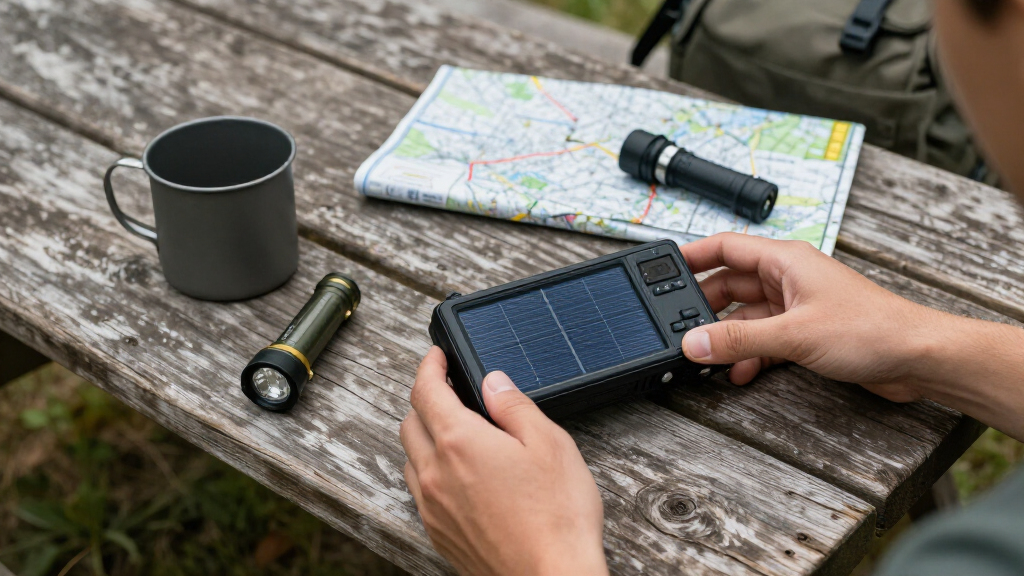

This guide provides clear instructions for choosing, setting up, and maintaining a solar-powered emergency radio. Designed for beginners, it covers all essential steps to ensure your radio functions reliably when needed most. By following this, you’ll be able to access weather alerts, news, and emergency broadcasts without relying on grid power, ensuring preparedness during power outages or outdoor adventures.

Get emergency and outdoor gear delivered free — and shop member deals
- Fast, free delivery on millions of items
- Access to Prime Big Deal Days deals on October 6–7
- Prime Video, Amazon Music and more included
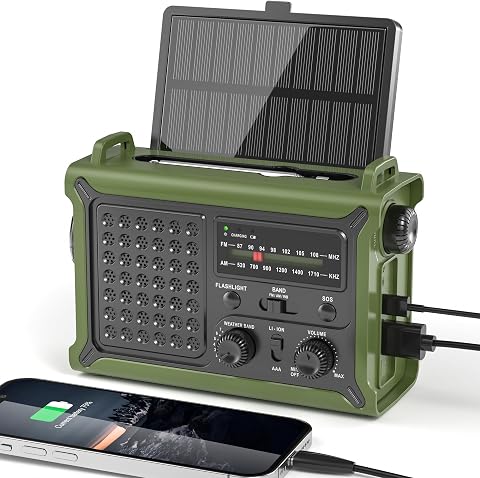
Solar Emergency Hand Crank Radio with 12000mAh Power Bank
- ✔ Power Source: Solar Panel, Hand Crank, 12000mAh Lithium Battery, Type-C Input 5V/2A, 3 AAA Batteries
- ✔ Radio Bands Supported: NOAA, FM, AM
- ✔ Frequency: 162 MHz

FosPower NOAA Emergency Weather Radio A1 with Solar and Hand Crank Power, 7400mWh Power Bank
- ✔ Power Bank Capacity: 7400mWh (2000mAh)
- ✔ Light Sources: 4 LED reading light, 1W flashlight
- ✔ Power Sources: Solar panel, hand crank, AAA batteries

Hand Crank Emergency Radio 7400mWh (2000mAh) Solar Hand Crank Radio
- ✔ Battery Capacity: 7400mWh (2000mAh)
- ✔ Built-in Cables: Lightning, USB-C, Micro USB
- ✔ Power Sources: USB-C, hand crank, solar panel, AAA batteries
Difficulty: Beginner | Time: 30-45 minutes
What You’ll Need
Tools & Materials:
- None required, but a clean, dry workspace is helpful
Knowledge:
- Basic understanding of electronic devices and reading instructions
Have your chosen solar-powered emergency radio ready before starting. Familiarize yourself with its components and functions by reading the user manual.
Solar Emergency Hand Crank Radio with 12000mAh Power Bank
This model stands out for its massive 12000mAh capacity, making it ideal for prolonged emergencies or outdoor expeditions. It supports NOAA, AM, and FM reception with clear sound, ensuring reliable communication. The large solar panel allows for fast solar charging, while the high-efficiency hand crank adds backup power. Its inclusion of a LED flashlight, reading light, and emergency alarm makes it a comprehensive survival tool. However, its size and weight may limit portability, and it requires a full initial charge to perform optimally. The water resistance level is just water resistant, not waterproof, which could be a concern in heavy rain.
Pros:
- High-capacity 12000mAh battery for long-lasting use
- Fast solar charging with a large solar panel
- Versatile features including flashlight, reading light, and emergency alarm
Cons:
- Bulkier and heavier than smaller models
- Requires initial full charge for optimal performance
- Water resistance level is limited to water resistant, not waterproof
Best for: Users seeking a high-capacity, feature-rich emergency radio for extended outdoor use or survival scenarios.
Not ideal for: Those prioritizing ultra-lightweight, compact devices or needing full waterproofing.
Bottom line: This pick offers the best combination of capacity and features for serious outdoor prep and extended emergencies.
“This pick offers the best combination of capacity and features for serious outdoor prep and extended emergencies.”
FosPower NOAA Emergency Weather Radio A1 with Solar and Hand Crank Power, 7400mWh Power Bank
The FosPower NOAA Emergency Weather Radio A1 is designed for those who need a lightweight, straightforward device with dependable NOAA alerts. Its 7400mWh power bank offers enough backup to power small devices, and its solar panel combined with a hand crank provides multiple charging options. The built-in LED lights, including a flashlight and reading lights, help during power outages or nighttime emergencies. Compared with larger models, it’s more portable but lacks detailed water resistance ratings, which could limit use in wet conditions. Its battery life duration isn’t explicitly detailed, which could impact long-term use.
Pros:
- Lightweight and easy to carry
- Supports NOAA alerts and emergency broadcasts
- Multiple power sources including solar, hand crank, and AAA batteries
Cons:
- Limited details on battery runtime
- Unclear water resistance level
- Potentially heavier than minimal designs due to features
Best for: Those looking for a compact, reliable NOAA weather radio for everyday emergency preparedness and outdoor activities.
Not ideal for: Users needing extended battery life or full waterproofing for heavy rain or water immersion scenarios.
Bottom line: This model offers a reliable, portable option for NOAA alerts with multiple charging options, suitable for everyday preparedness.
“This model offers a reliable, portable option for NOAA alerts with multiple charging options, suitable for everyday preparedness.”
Hand Crank Emergency Radio 7400mWh (2000mAh) Solar Hand Crank Radio
This radio emphasizes versatility and device compatibility, featuring built-in cables for charging Lightning, USB-C, and Micro USB devices. Its 7400mWh battery supports NOAA weather broadcasts, AM/FM, and multiple lighting modes, including a SOS alarm, making it highly suitable for critical emergencies. Its multiple power sources—solar, hand crank, USB-C, and AAA batteries—offer redundancy, but the all-in-one design results in a bulkier, heavier device. Manual operation of the hand crank may be less convenient for frequent use, and detailed battery life duration isn’t specified, which could affect planning for longer outages.
Pros:
- Multiple power sources including USB-C, solar, and hand crank
- Built-in cables for charging various devices
- Reliable NOAA broadcasts and SOS alarm for emergencies
Cons:
- Bulkier due to multiple features
- Requires manual effort for the hand crank
- Limited details on battery runtime
Best for: Outdoor enthusiasts or emergency preppers who need to charge multiple devices and rely on comprehensive lighting and alert features.
Not ideal for: Those seeking a slim, lightweight device or with limited space for a bulky model.
Bottom line: This model excels in device versatility and emergency features, ideal for users who need to keep multiple electronics charged during crises.
“This model excels in device versatility and emergency features, ideal for users who need to keep multiple electronics charged during crises.”
As an Amazon Associate we earn from qualifying purchases.
Before You Start
Ensure the radio is stored in a cool, dry place before use. Check that the solar panel surface is clean and unobstructed. Confirm that you have fresh batteries if your model includes battery backup options. Avoid setting up the radio in direct sunlight if it’s already fully charged to prevent overheating.
Step-by-Step Instructions
Step 1: Select a suitable location for setup
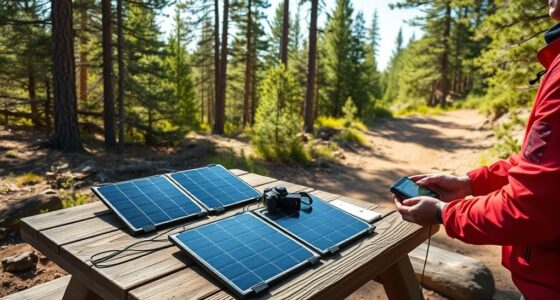
Place the radio in a location where it will receive maximum sunlight exposure during the day, such as near a window with direct sunlight or outdoors in an open area. Avoid shaded spots or areas with obstructions like trees or buildings.
Tip: Position the solar panel facing directly toward the sun for optimal charging. Use a protractor or angle guide to align the panel at a 45-degree angle if adjustable.
Check: The radio’s solar indicator light (if available) should show a charging status, or the manual should confirm that the solar panel is receiving sunlight.
Step 2: Connect batteries or power source if required
If your radio uses replaceable batteries or a rechargeable power pack, insert fresh batteries or connect the rechargeable battery pack according to the manufacturer’s instructions. Ensure the connections are secure and correct polarity.
Tip: Use high-quality batteries recommended by the manufacturer to ensure reliable operation. Avoid mixing old and new batteries.
Check: The radio powers on when you press the power button, indicating the internal power supply is functioning correctly.
Step 3: Charge the radio using sunlight
Leave the radio in the sunlight for at least 4-8 hours to ensure a full charge, especially if it’s new or has been stored unused. Monitor any indicator lights or display to confirm charging is occurring.
Tip: Avoid covering the solar panel during charging. If your radio has a charging indicator, verify that it shows active charging.
Check: The radio shows a full battery icon or indicates fully charged status after the designated charging period.
Step 4: Tune into emergency channels and test audio
Turn on the radio and select the emergency broadcast band or NOAA weather channels. Adjust the volume to a comfortable level. Confirm that the audio is clear and the signal is strong.
Tip: Use the manual tuning knob or digital interface to find the clearest frequency. Use headphones if ambient noise interferes.
Check: You can clearly hear broadcasts or test signals, confirming the radio functions properly and can receive signals.
Step 5: Set up emergency alerts and notifications
If your radio has alert features, activate them following the manual instructions. Ensure the alert tone is audible and the notification system is enabled.
Tip: Test the alert feature if possible, to confirm it will activate during an actual emergency.
Check: The alert feature activates and sounds as expected, ready to notify you during emergencies.
Common Mistakes to Avoid
- Positioning the solar panel in shaded areas or indirect sunlight. — Place the radio in direct sunlight and ensure the solar panel surface is unobstructed for maximum charging efficiency.
- Using incompatible batteries or incorrect polarity. — Follow the manufacturer’s specifications for batteries and double-check polarity before inserting batteries.
- Overlooking the need to fully charge the radio before critical use. — Charge the radio in sunlight for several hours before expecting to rely on it during an emergency.
Troubleshooting
Problem: Radio does not turn on or charge.
Solution: Check battery installation for correct polarity, verify solar panel exposure to sunlight, and replace batteries if necessary.
Problem: No sound or weak signal reception.
Solution: Adjust the antenna or reposition the radio in a different location. Confirm volume settings and tuning accuracy.
Problem: Solar indicator shows no charging status.
Solution: Ensure the solar panel is clean and unobstructed. Test in direct sunlight and wait a few hours.
What Success Looks Like
The radio powers on reliably, receives broadcasts clearly, and displays a full charge indicator after sunlight exposure. Emergency alerts activate audibly, and the device functions as intended during testing.
Next Steps
Regularly check and clean the solar panel surface. Recharge the radio in sunlight periodically, especially after prolonged use. Keep spare batteries or backup power options available. Practice tuning into channels and activating alerts so you’re prepared in an emergency. Replace batteries and perform maintenance as recommended by the manufacturer.
Frequently Asked Questions
How often should I recharge the radio?
Recharge the radio in sunlight whenever the battery indicator shows low or after each use, especially if stored for long periods. Regular exposure maintains readiness.
Can I use the radio indoors if sunlight is limited?
Yes, but charging efficiency decreases indoors. Use batteries or connect to an AC adapter if available, and rely on solar power mainly when outdoors or in bright sunlight.
What should I do if the radio stops receiving signals?
Check antenna placement, retune to different frequencies, ensure batteries are working, and confirm the radio is in a good reception area free from obstructions.
How long does a full charge last?
Battery life varies by model and usage but typically lasts 8-12 hours of continuous operation. Recharge regularly to maintain readiness.
Fall Picks
fall essentials
As an affiliate, we earn on qualifying purchases.